Connections
Save, organise and open connections to MongoDB servers: URIs, authentication, TLS, SSH tunnels, proxies and read-only safety.
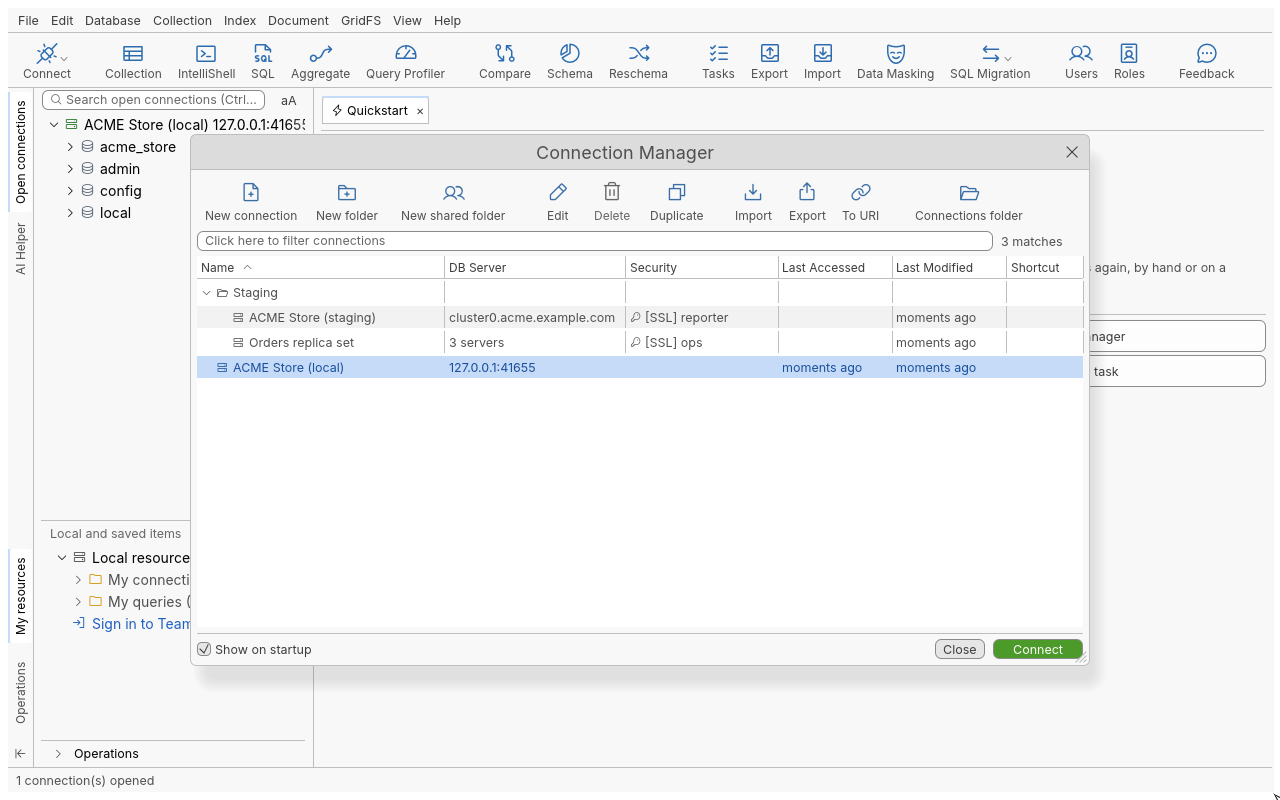
Every database you work with in Oxys DB Studio starts as a saved connection: a name plus the settings needed to reach a server (address, authentication, TLS, tunnel, proxy). Connections are kept in the Connection Manager, and opening one adds it to the connection tree.
Pages in this section
| Task | Page |
|---|---|
| Open, filter, sort, colour and organise saved connections | The Connection Manager |
| Create a connection from a connection string or field by field | Paste a URI or fill in the form |
| Sign in with SCRAM, X.509, LDAP, Kerberos, AWS IAM or OIDC | Authentication |
| Encrypt the connection, check the server, use a client certificate | TLS/SSL |
| Reach a server behind a bastion host | SSH tunnels |
| Go through an HTTP or SOCKS proxy | Proxies |
| Replica sets, sharded clusters, SRV and load-balanced deployments | Deployment types |
| Protect a production database from accidental writes | Read-only connections and the padlock |
| Work with MongoDB 2.6 to 4.0 | Older servers |
| Other databases that speak the MongoDB protocol | Compatible databases |
| Group connections, or load them from a shared folder | Folders |
| Bring in connections saved by other MongoDB tools | Import connections |
| Hand a connection to a colleague | Export and share connections |
New to the application? Start with Your first connection.
Where secrets go
Passwords, passphrases and secret keys are never written to the connection files. By default they are kept in your operating system’s credential store. You can instead protect every saved connection and secret with a master password in Edit > Preferences > Advanced settings > Security. A field left empty is asked for at each connect and never stored.
- The Connection ManagerOpen, filter, sort, edit, duplicate, colour and delete saved connections.
- Paste a URI or fill in the formCreate a connection from a MongoDB connection string, or configure every setting in the connection dialog.
- AuthenticationSign in with SCRAM, X.509 certificates, LDAP, Kerberos (including Windows single sign-on), AWS IAM or OpenID Connect.
- TLS/SSLEncrypt the connection, choose how the server certificate is checked, and sign in with a client certificate.
- Connect through an SSH tunnelReach a MongoDB server behind a bastion host, with a password, a private key or the SSH agent, and reuse the settings as SSH profiles.
- Connect through a proxySend a connection through an HTTP or SOCKS proxy, or through the proxy set for the whole application.
- Replica sets, sharded clusters, SRV and load balancersChoose the right connection type for a standalone server, a replica set, a sharded cluster, an SRV seedlist or a load-balanced deployment.
- Read-only connections and the padlockProtect production data from accidental writes with the connection's Read-Only Lock and the collection padlock.
- Older MongoDB servers (2.6 to 4.0)What works when you connect to MongoDB servers older than 4.2, and their limits.
- MongoDB-compatible databasesAmazon DocumentDB, Azure Cosmos DB for MongoDB, FerretDB and other databases that speak the MongoDB protocol: what to expect.
- Organise connections in foldersGroup saved connections in folders, move them, and load connections from another folder on disk such as a Git working tree.
- Export and share connectionsCopy a connection as a URI, export several connections to a file, or share them with your team.
- Import connections from other toolsBring the MongoDB connections you saved in other tools into Oxys DB Studio, from this computer or from a file.