Features
Everything you do with MongoDB, in one native app
Organised by what you are trying to do: connect, explore, query, move data, compare, understand the schema, automate, share and stay safe.
Oxys DB Studio is pre-release software: the features below are implemented and tested in the code base, and the newest of them are not in the 0.1.0 release yet. Platform status is on the download page.
Connect
Paste a connection string and the dialog fills itself in, or set every option by hand. Connections live in folders, with a colour, and can be locked read-only.
- Standalone servers, replica sets, sharded clusters and
mongodb+srv://seed lists - Authentication: SCRAM, X.509, Kerberos, LDAP, AWS IAM and MongoDB OIDC
- TLS with your own CA and client certificates
- SSH tunnels that check host keys, and HTTP or SOCKS proxies
- Passwords in the system keyring or an encrypted key store
- Import connections from files exported by other tools
Explore and edit
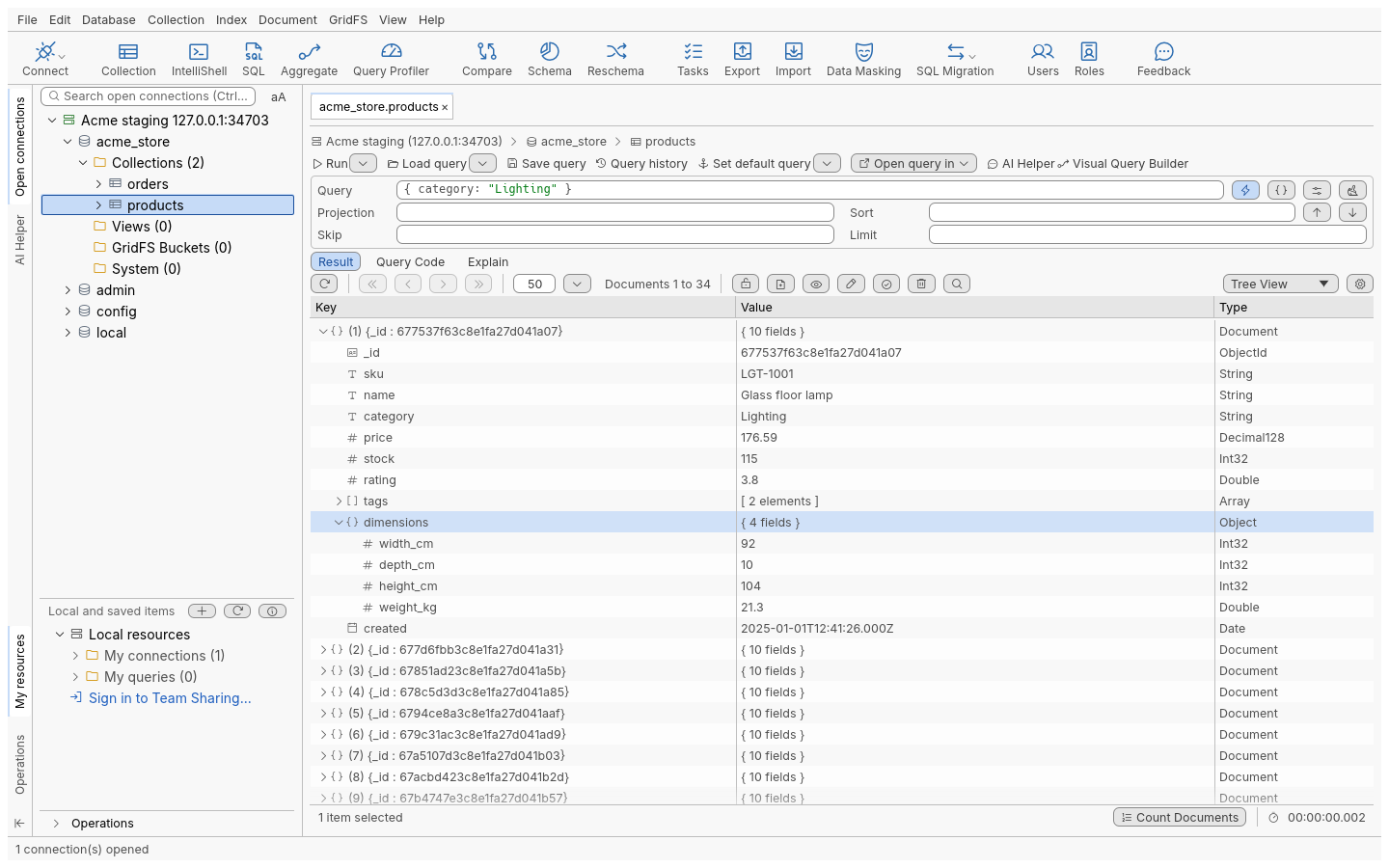
A connection tree for databases, collections, views, indexes and GridFS buckets, and result views built for large collections.
- Table, tree and JSON views of the same results, paged and virtualised
- Edit values in place, with their BSON types kept exactly
- Insert, clone, delete and bulk-edit documents; add, rename or remove fields
- Search for a value across databases and collections
- Manage users and roles, indexes and GridFS files; watch current operations
Query
Four ways in, one set of result views. Pick the one that suits the question.
Visual query builder
Drag fields into a filter, projection and sort; the query bar shows the JSON as you build it.
Query bar
Filter, projection, sort, skip and limit, with completion of fields and operators, and a history of what you ran.
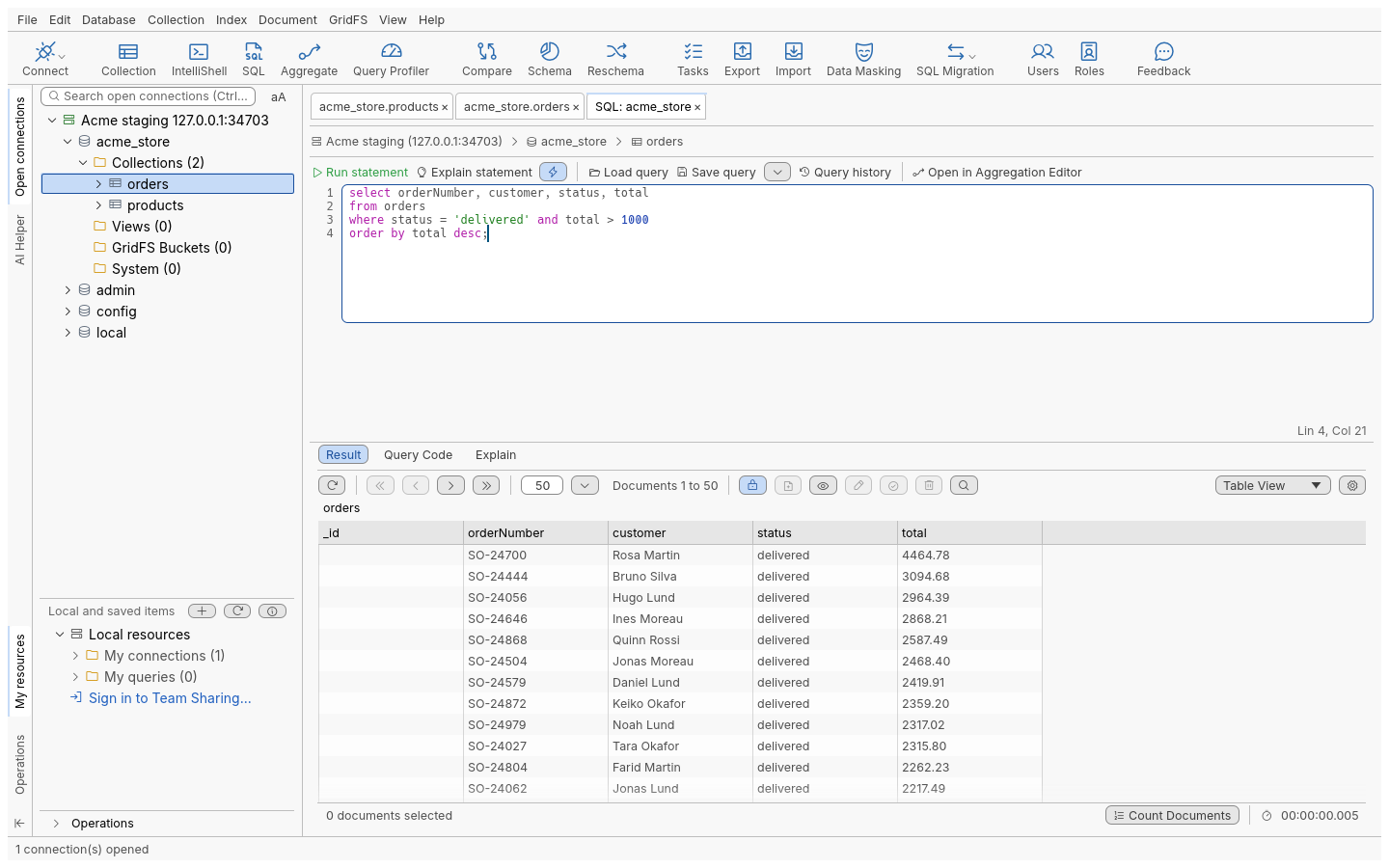
SQL
Write SELECT queries with WHERE, GROUP BY, ORDER BY and joins; see the MongoDB query they become.
IntelliShell
The bundled mongosh with completion and highlighting, scripts saved with your queries, results in the same grid.
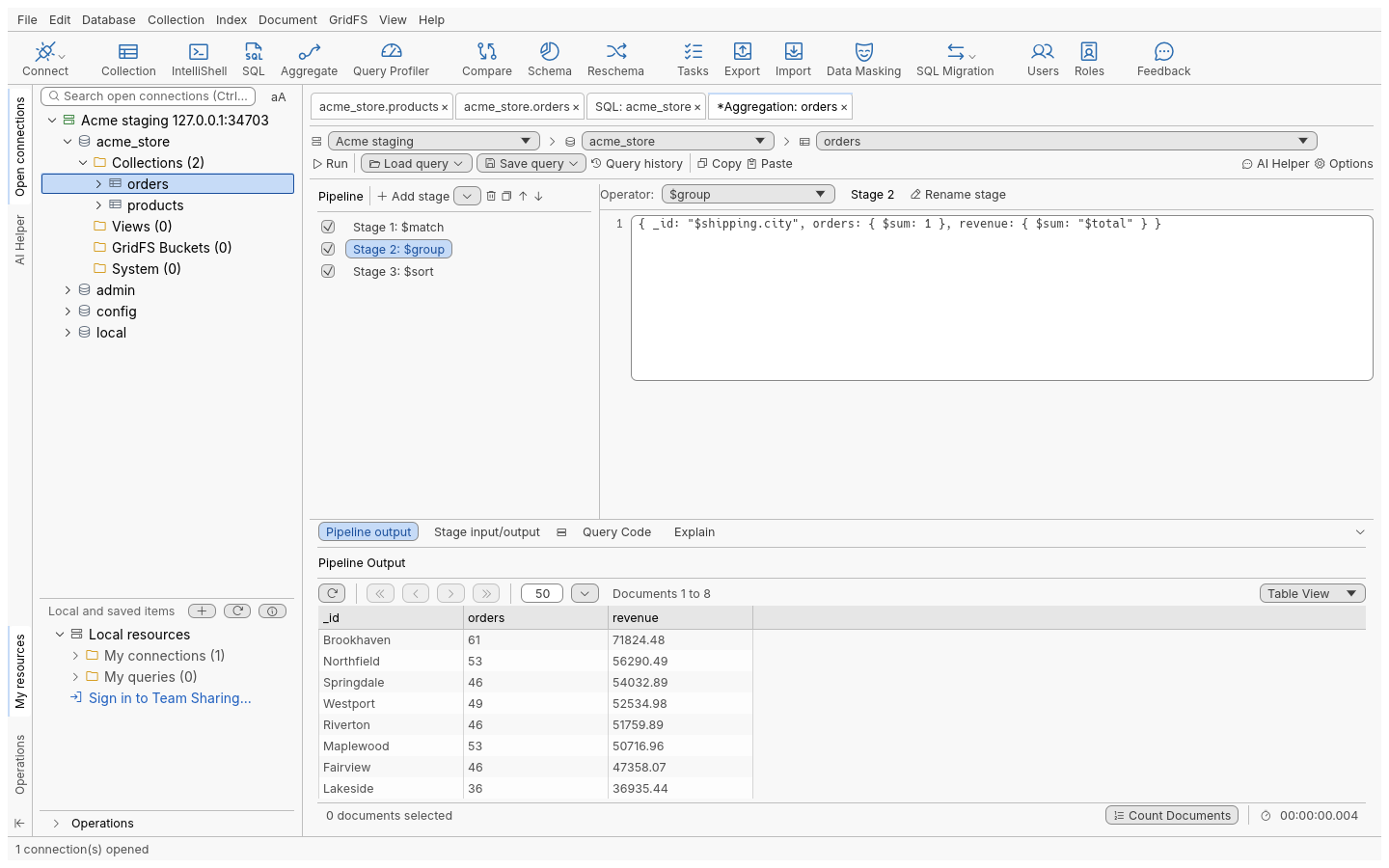
Aggregation editor
Build a pipeline one stage at a time, with each stage's input and output, explain plans and export.
Query code
Turn a query or a pipeline into code for the shell, Node.js, Java, C#, Python, PHP or Ruby.
Import, export and migrate
Wizards with a preview of what will be written, run as jobs you can follow and cancel, and saved as tasks to run again.
- Import JSON (shell and Extended JSON), CSV, BSON dumps and archives, or from another collection
- Export to JSON, CSV, Excel, SQL, BSON dumps and archives, or to another collection
- Copy results to the clipboard as JSON, CSV or spreadsheet cells
- Migrate tables from PostgreSQL, MySQL and SQL Server to MongoDB, with mappings for related tables; Oracle, IBM Db2 and SAP ASE through a client you install
- Export collections back to SQL tables
- Mask sensitive fields while exporting or copying
Compare and sync
Compare collections across databases and servers, see the differences field by field, and choose what to copy across.
- Pair collections by dragging, even when their names differ
- Match documents by
_idor by the fields you choose - Review differences side by side, then sync in either direction, after a confirmation
- Save a comparison as a task and run it again later
Schema and performance
Find out what a collection really holds, and why a query is slow.
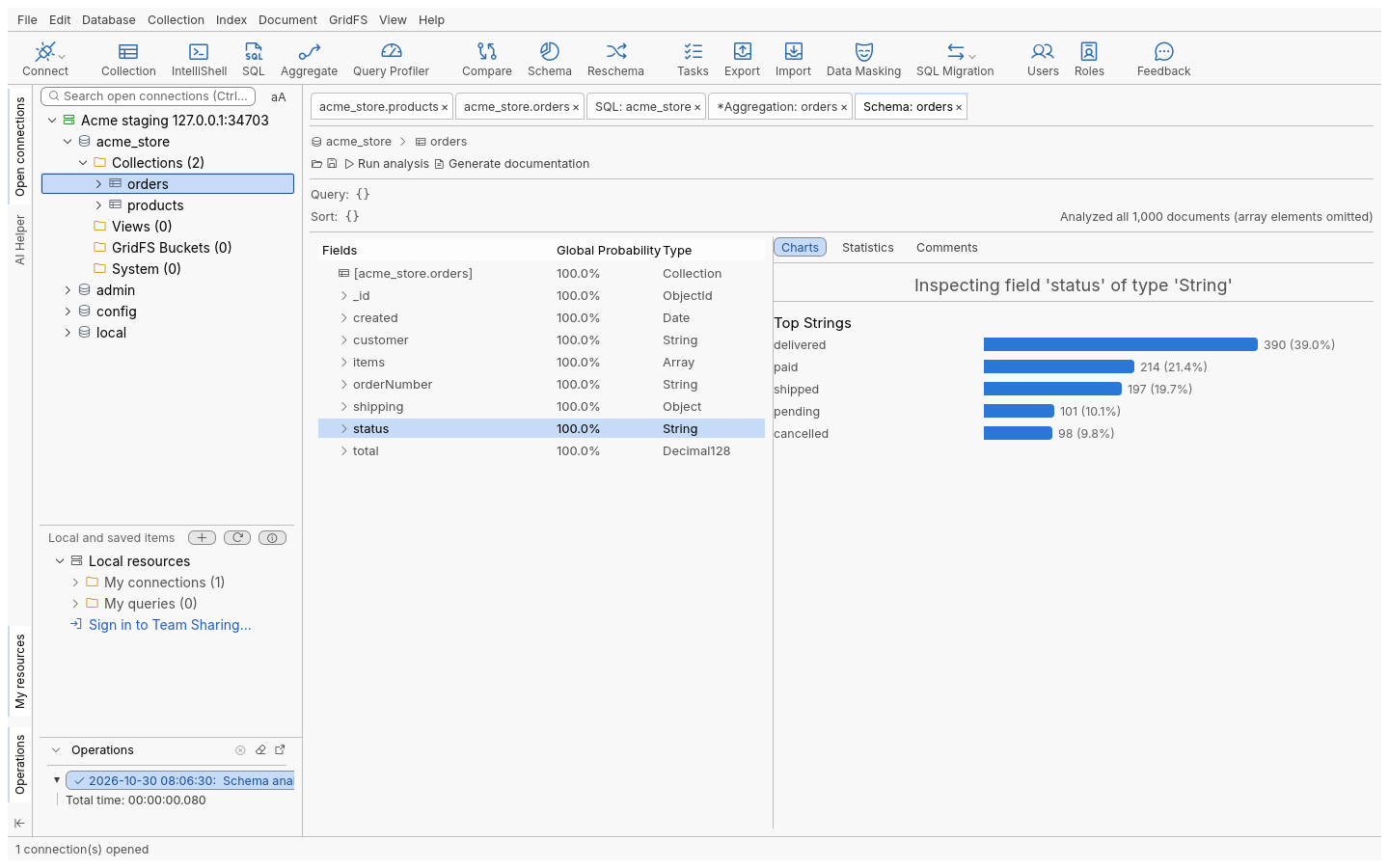
- Schema analysis by sampling: each field's types and frequency, with charts and statistics
- Validation rules: level, action and the validator itself
- Visual explain plans for queries and pipelines
- Index manager: build, hide, drop and inspect indexes and their sizes
- Reschema: rename, restructure and retype fields across a collection
Tasks and automation
Save an export, import, migration, comparison or script as a task, then run it on demand or on a schedule.
- Schedules: once, every few minutes or hours, daily, weekly, monthly, or a custom rule
- Incremental exports that pick up where the last run stopped
- A run history with the log of each run
- Send tasks to a self-hosted task runner, so they run while your computer is off
- Everything is also a command for the command-line client
Team sharing
Share connections, queries and scripts through a team server that you host. The desktop app works fully offline without it.
- Shared folders with manage, edit and view permissions
- Invitations, and quick shares of a single item
- Connections shared without their passwords by default
- One container with SQLite, or several replicas on MongoDB or FerretDB
AI assistant and MCP
Both are optional and off until you turn them on.
AI Helper
Ask for a query or a pipeline in plain language, or have one explained. Bring your own key for OpenAI, Azure OpenAI or Anthropic. It asks for your consent first, and sends the names and types of fields, never their values; the read-only tools it runs for you can return documents, which then go to the provider you chose.
Local MCP server
Gives AI agents on your computer nine read-only tools: list connections, databases, collections and indexes, find documents, explain a query, analyse a schema, read collection statistics and list connected tabs. It is off by default, listens on 127.0.0.1 only, needs a token, and reaches only the saved connections you allow. Run it from the app or headless with oxysdb-cli mcp. Every other command is reachable through oxysdb-cli and the local control channel, not through MCP.
Security and privacy
Made to be pointed at production databases.
- Read-only connections refused writes by the engine, whatever asks
- Confirmation before drops, bulk deletes, overwrites and syncs
- TLS trusts your operating system's certificate store
- No telemetry, analytics or crash reporting; an offline mode turns every non-database request off
- Administrator policies, for example to turn updates off
- Release packages carry checksums and two signatures, Ed25519 and post-quantum ML-DSA-65, both checked by the updater
- Post-quantum key exchange (hybrid X25519MLKEM768) with your team server and task runner, which you can require; offered first to AI providers, the update host and identity providers
- 256-bit ciphers (AES-256-GCM, ChaCha20-Poly1305) on the app's own connections; database connections follow your system's TLS library and the server
- SSH tunnels offer the post-quantum key exchange to OpenSSH 9.9 and later