Open source · pre-release
The MongoDB workbench that stays out of your way.
Oxys DB Studio is a native desktop IDE for MongoDB, written in Rust. Browse, query, aggregate, import, compare and automate, and script every one of those actions from the command line.
Why Oxys DB Studio
Built for people who keep a database client open all day.
-
Native and quiet
Compiled Rust with a GPU-drawn interface: nothing to install besides the app, no Java or JavaScript runtime. It draws a frame only when something changes; with a collection open and nothing happening, our Linux release build measured 0.2–0.6 % CPU.
How it is measured -
Careful with your data
Drops, bulk deletes, overwrites and syncs ask first. A read-only connection is enforced by the engine itself, not just by greyed-out buttons. Malformed documents and dropped connections produce errors you can act on, not crashes.
-
Every action is a command
Each menu item, button and shortcut runs a named command with JSON parameters. The command-line client and the local control channel run the same commands. A local MCP server, off by default, gives AI agents read-only tools.
-
Open source
The application, the command-line client, the team server and the task runner are published under the MIT or Apache-2.0 licence, at your choice. Read the code, build it, change it.
-
Team features you host
Share connections, queries and scripts through a team server you run yourself, and run scheduled tasks on your own task runner. Docker Compose files and a Helm chart are included.
-
Private by design
No telemetry, no analytics, no crash reporting and no account. The application only connects to the databases you choose, plus an update check you can turn off. Every outbound connection is listed.
What it connects to
A quick tour
From the first query to the nightly export.
Query and edit documents
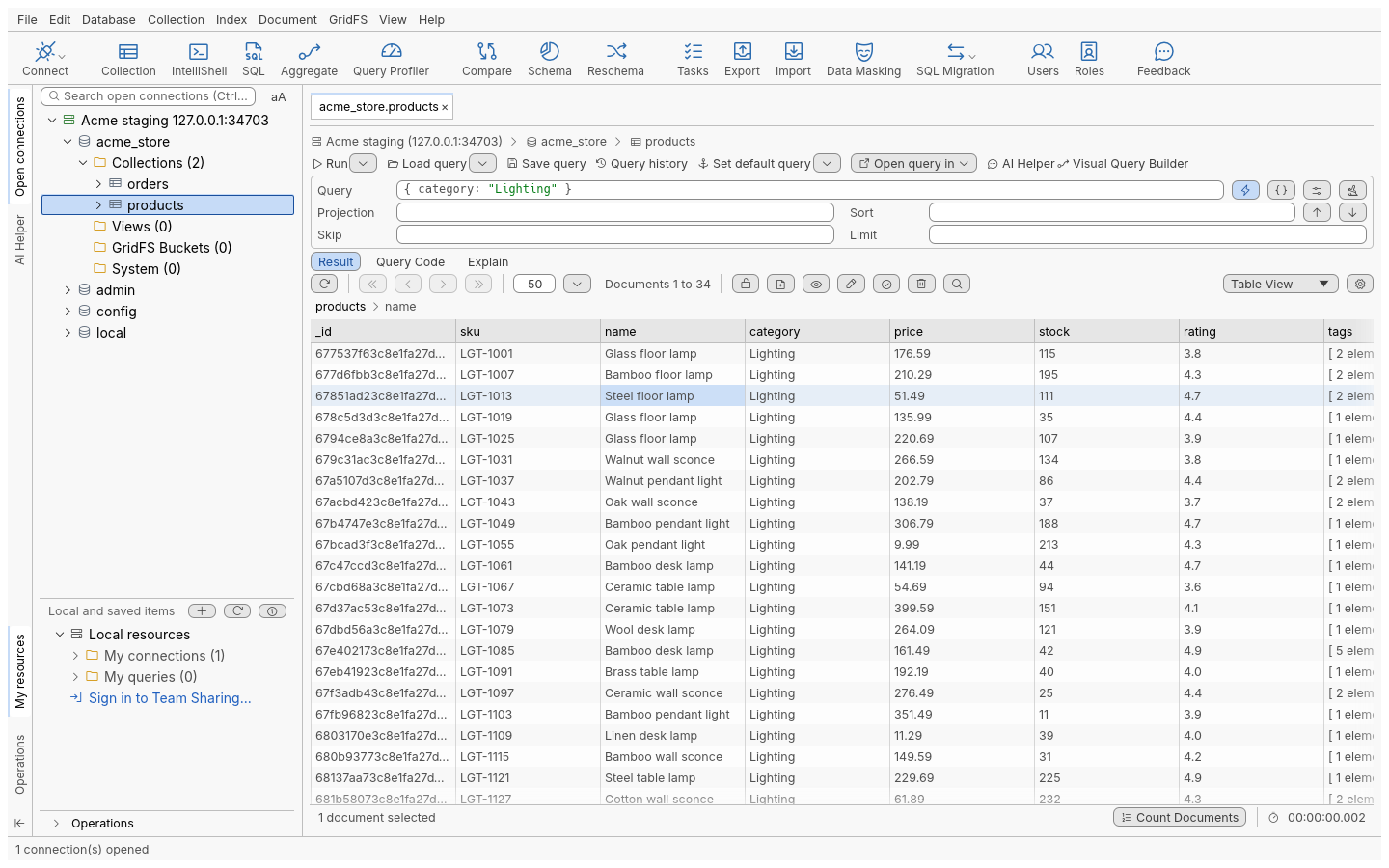
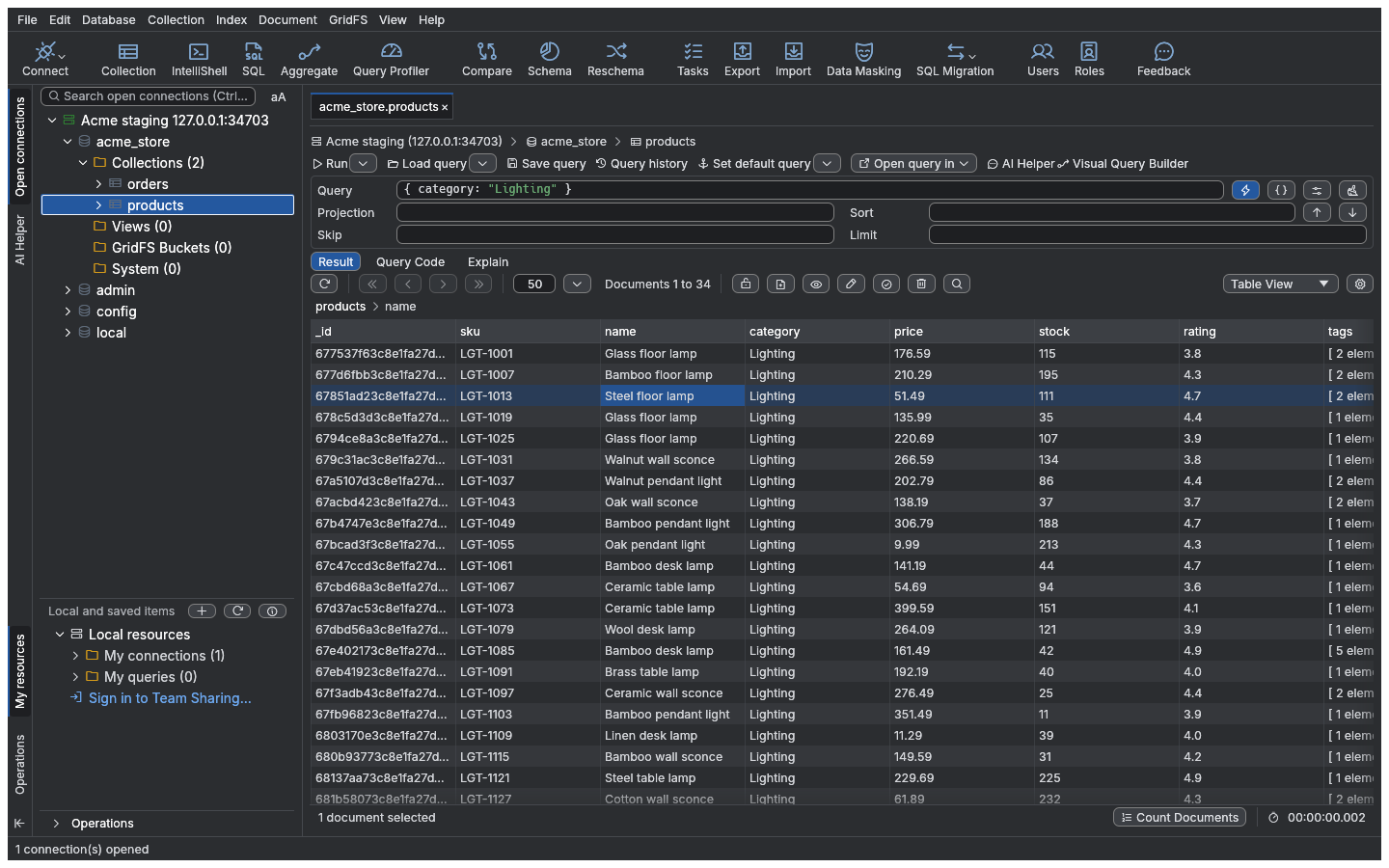
Type a filter, projection and sort, or build them visually by dragging fields into the query builder. Results page through large collections in a table, tree or JSON view, and you edit values in place.
Querying in detail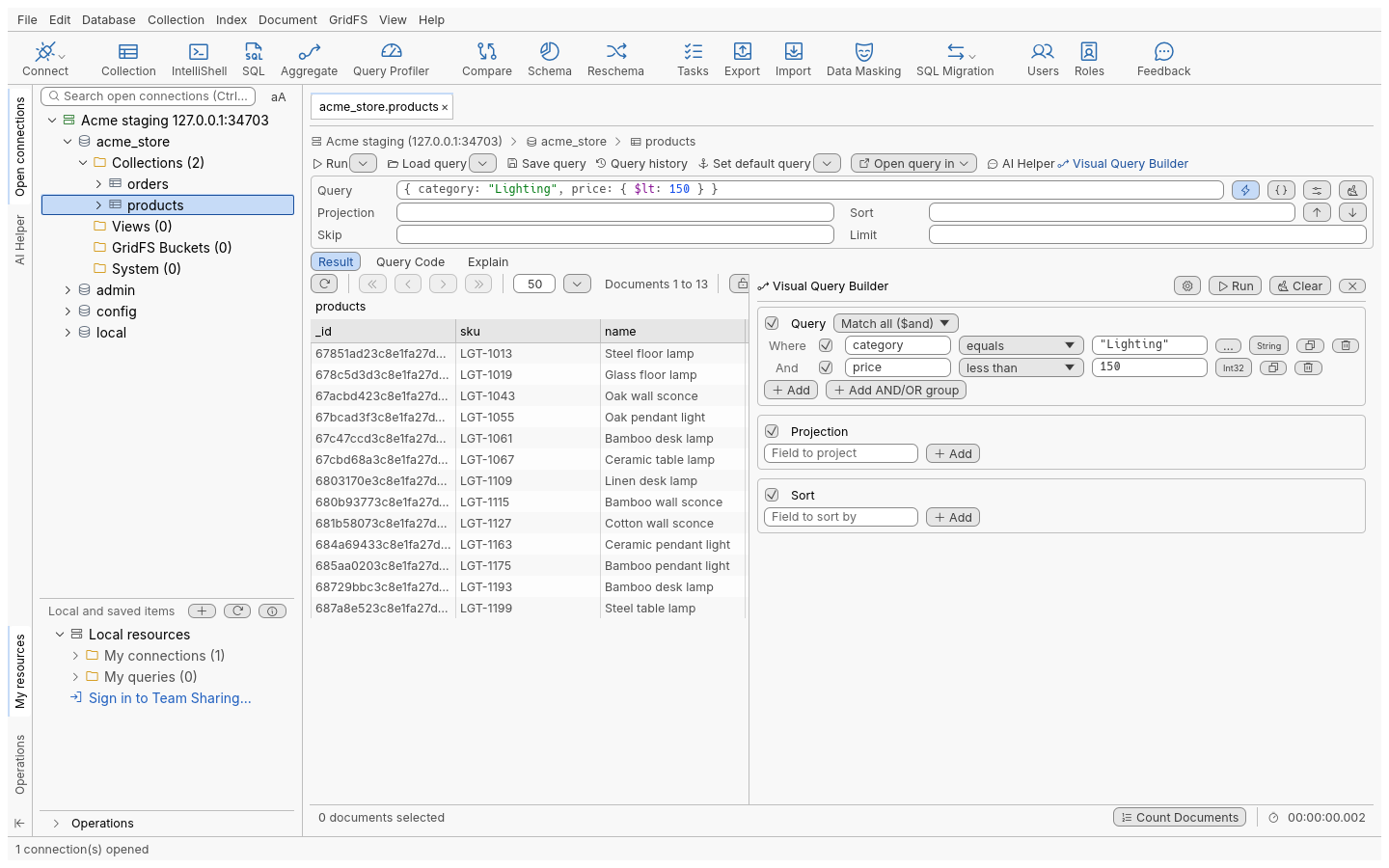
Build pipelines stage by stage
The aggregation editor shows each stage on its own, with its input and output, so you see where a pipeline goes wrong. Explain it, export its results, or turn it into code.
Aggregation in detail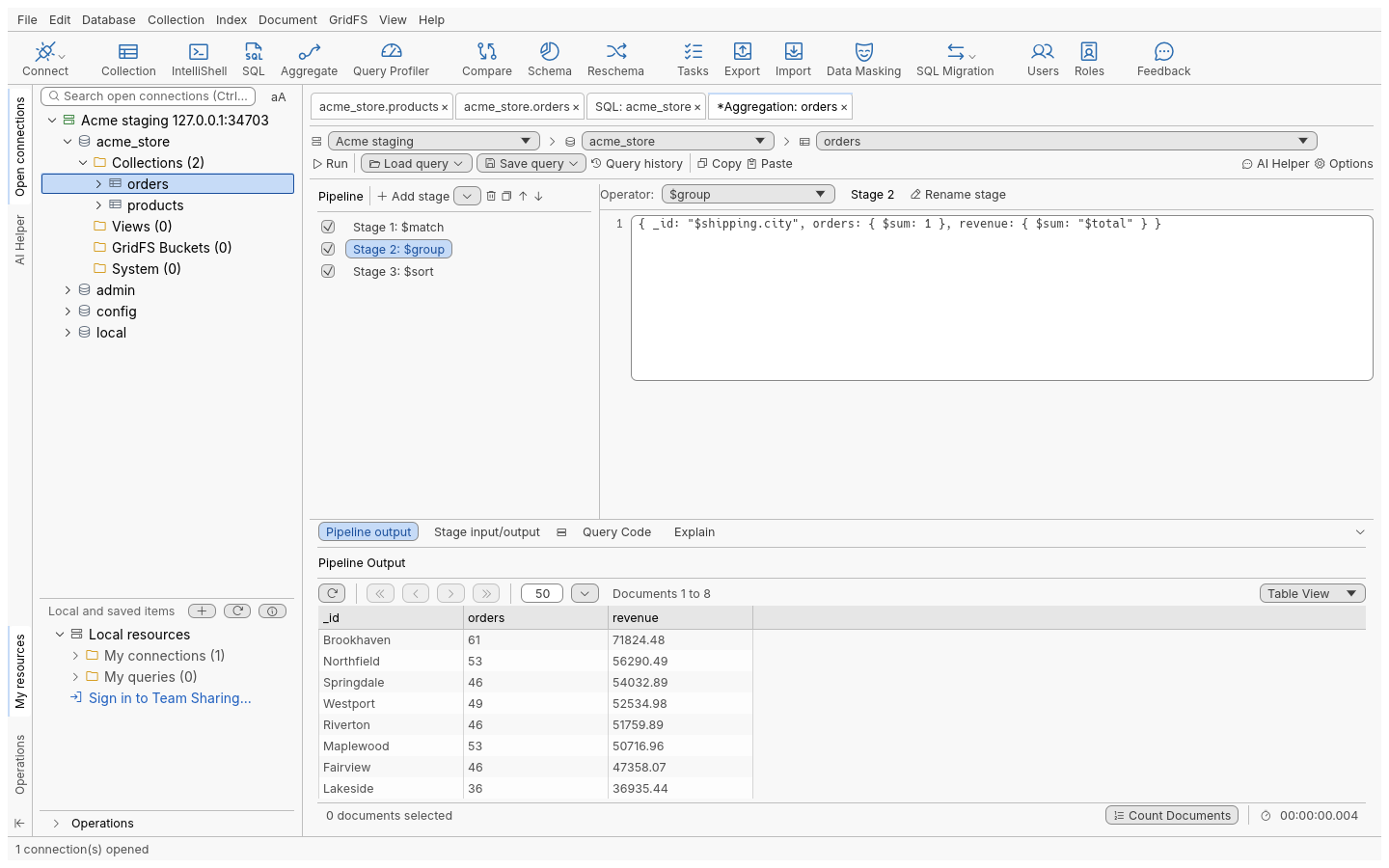
Ask in SQL, get MongoDB
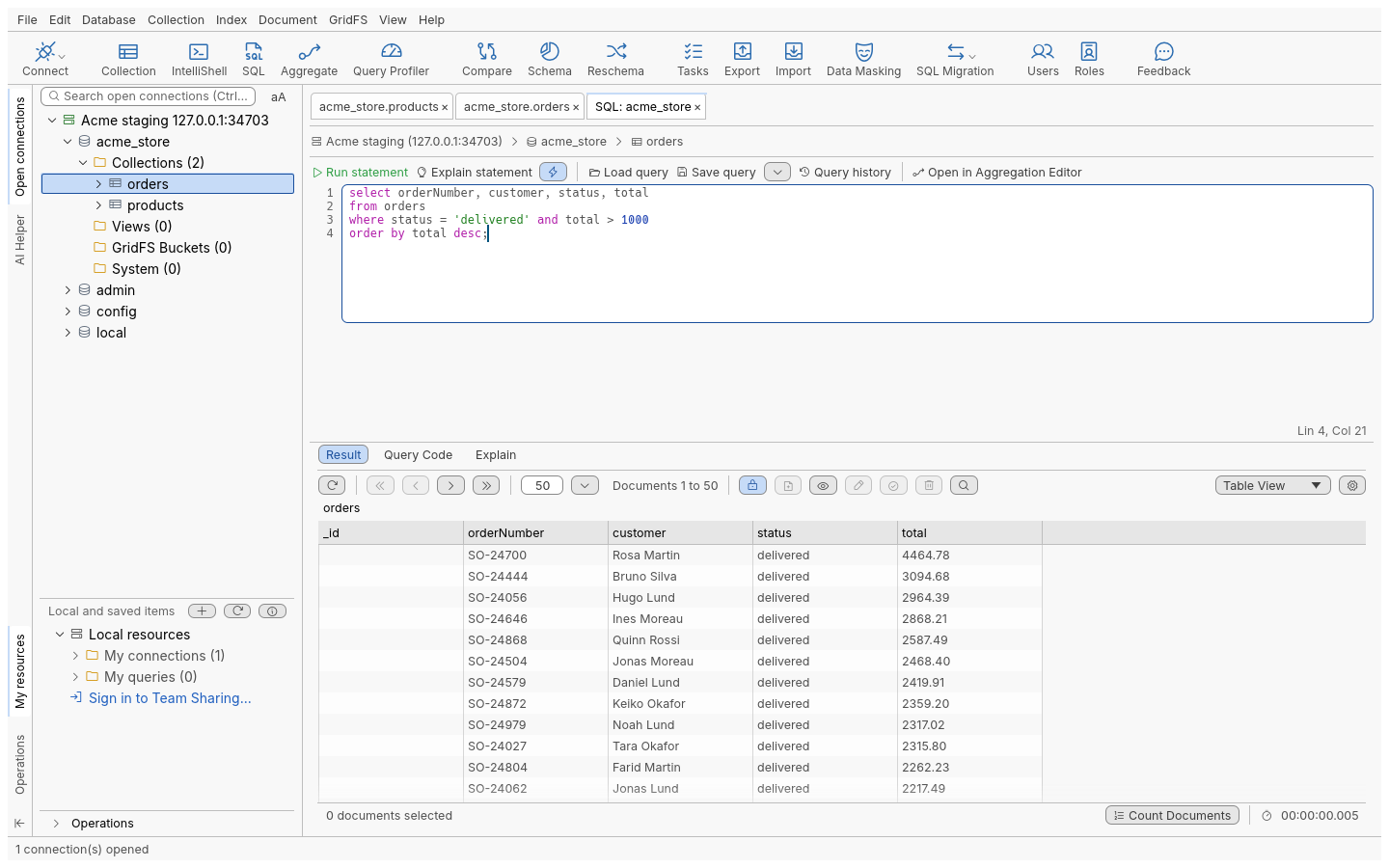
Write SELECT … WHERE … GROUP BY against your collections. The query runs on the server as a MongoDB query, and the Query Code tab shows exactly which one.
A shell when you need one
IntelliShell runs the bundled mongosh with completion and syntax highlighting, and shows results in the same table, tree and JSON views as everything else.
The shell in detail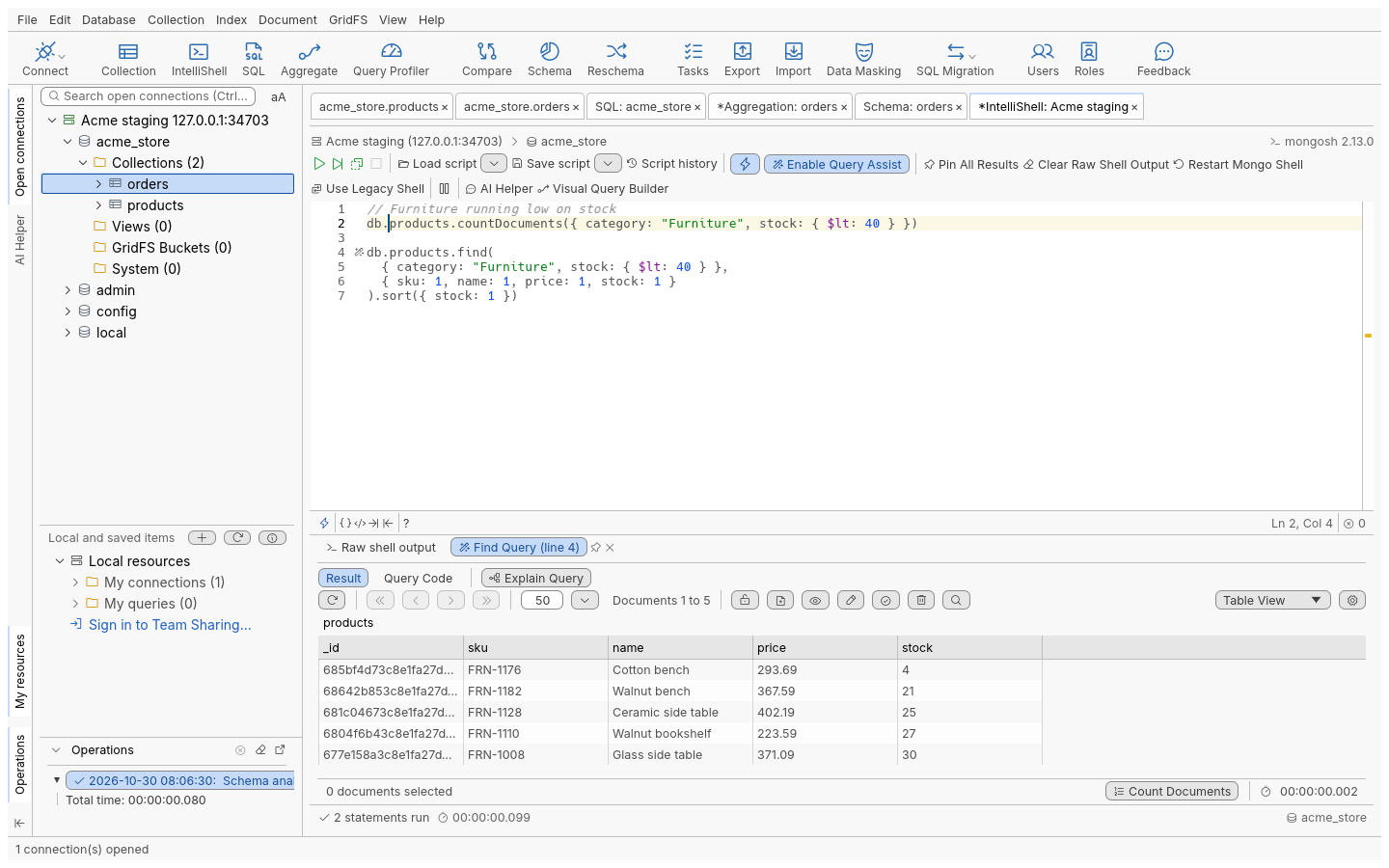
See what is really in a collection
Schema analysis samples documents and reports each field's types and how often it appears, with charts. Explain plans and the index manager help you make the slow queries fast.
Schema and performance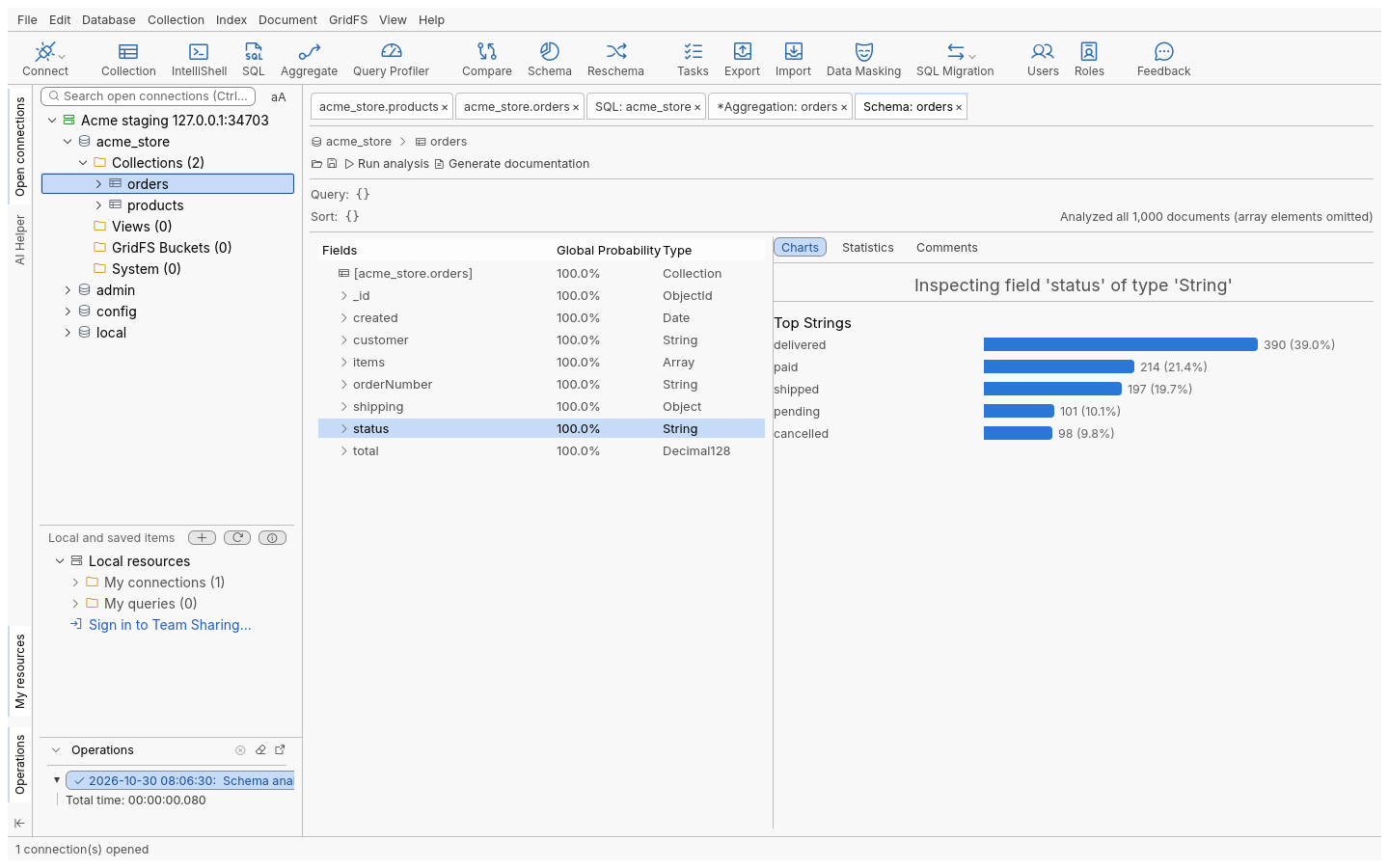
Scriptable
What you can click, a script can run.
The desktop app is one client of an engine of named commands. The command-line client is another: list the commands, run one with JSON parameters, or pipe a whole session through it, one command per line.
AI agents do not get every command. The local MCP server, off until you turn it on, gives them nine read-only tools (list connections, databases, collections and indexes; find documents; explain; analyse a schema; collection statistics; list connected tabs) on 127.0.0.1, with a token, for the saved connections you allow.
# every command, with its parameters
$ oxysdb-cli commands

# run one
$ oxysdb-cli run connection.new \
    '{"uri": "mongodb://db.example.internal", "name": "Staging"}'

# one session, one command per line
$ oxysdb-cli batch < session.jsonl

# read-only tools for local AI agents
$ oxysdb-cli mcp --allow-connection Staging
Self-hosted
Your team server, on your infrastructure.
Team Sharing keeps shared folders of connections, queries and scripts, with manage, edit and view permissions, on a server you run. Passwords are not shared unless you choose to. The task runner, a separate service, runs saved exports, imports and migrations on a schedule, next to your databases.
The desktop app, the team server and the runner talk over TLS 1.3 with a hybrid post-quantum key exchange (X25519MLKEM768) and 256-bit ciphers, and you can require it on both ends. What is post-quantum, and what is not yet.
Start with one container and a SQLite file. Grow to several replicas on MongoDB or on FerretDB with PostgreSQL.
Self-hosting guidePlatforms
Where it runs
No release has been published yet. These are the packages the build produces and tests today.
-
Linux
x86_64 and arm64:
In testing.deb,.rpmand a tarball. Needs glibc 2.35 or later. -
Windows
x86_64: installer, MSI and zip. Not code-signed yet. An arm64 build is experimental.
In testing -
macOS
Apple silicon and Intel builds are planned, signed and notarised.
Planned -
Servers
Team server and task runner as container images, with Docker Compose files and a Helm chart.
In testing
Follow the road to the first release.
Read the code, try a build from source, or open an issue with what your team needs.