Connect through a proxy
Send a connection through an HTTP or SOCKS proxy, or through the proxy set for the whole application.
Some networks only let traffic out through a proxy. The Proxy tab of the connection dialog sends one connection through an HTTP or SOCKS proxy; Preferences holds a default proxy that any connection can use.
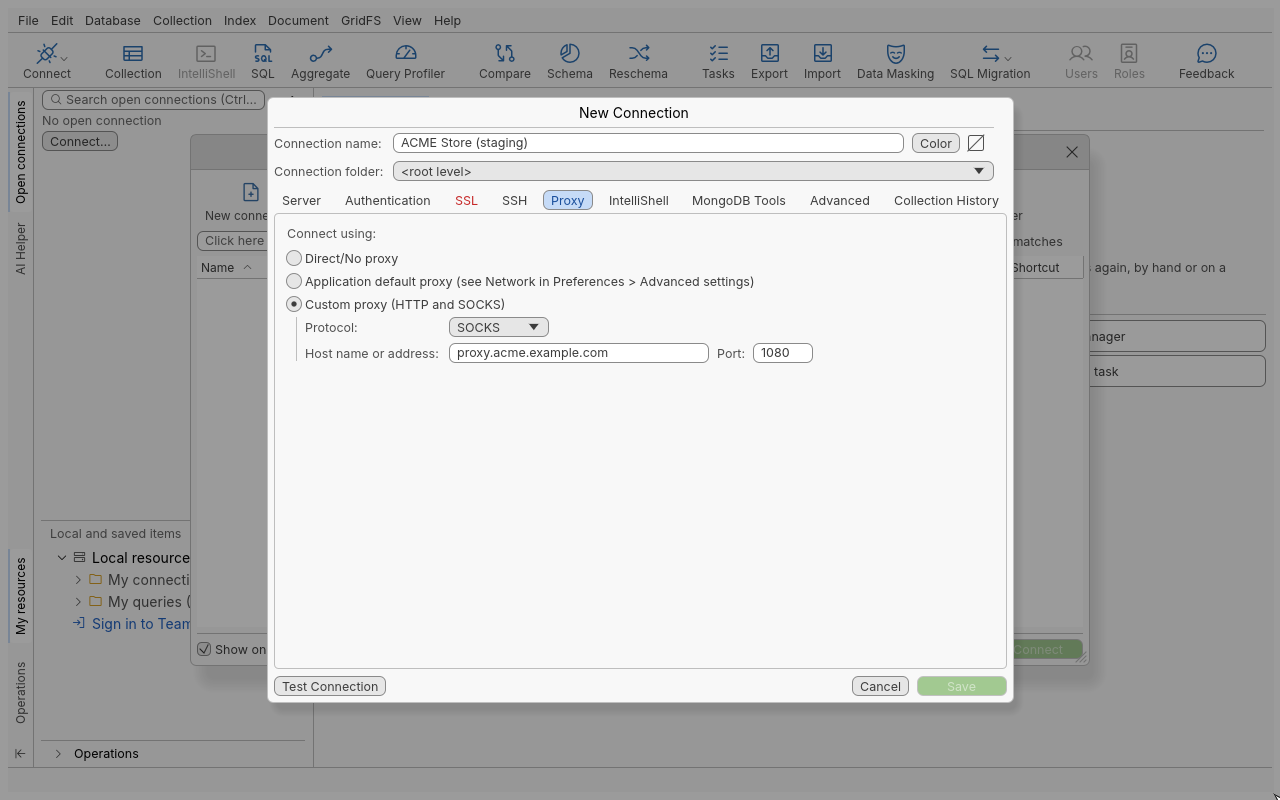
Use a proxy for one connection
- Open the connection dialog and click the Proxy tab.
- Under Connect using:, choose Custom proxy (HTTP and SOCKS).
- Choose the Protocol: (HTTP or SOCKS).
- Enter Host name or address: and Port: of the proxy.
- Click Test Connection, then Save.
Use the application’s default proxy
- Open Edit > Preferences (Ctrl+P) and go to Advanced settings > Network.
- Under Proxy for network access, tick Use proxy server configuration and enter Protocol:, Host name or address: and Port:.
- Apply the preferences.
- In each connection that should use it, choose Application default proxy (see Network in Preferences > Advanced settings) on the Proxy tab.
Changing the default proxy later changes it for every connection that uses it.
Reference
| Connect using | Behaviour |
|---|---|
| Direct/No proxy | The default: the connection goes straight to the server. |
| Application default proxy | The proxy of Preferences > Advanced settings > Network. |
| Custom proxy (HTTP and SOCKS) | The proxy given on this tab. |
The Network page also has a separate Proxy for Oxys DB Studio tools section. It covers the application’s own web traffic (the update check, the AI Helper and Team Sharing), not database connections: Network access proxy config., System proxy config. or Direct connection, with optional basic-auth credentials, and a Test connectivity button.
Tips
- With an SSH tunnel, the tunnel is the way to the servers; you normally need one or the other, not both.
- An HTTP proxy must allow the
CONNECTmethod to the MongoDB port.
Troubleshooting
| Message | What to do |
|---|---|
| “Enter the proxy’s host name or address” | Custom proxy needs a host before Save. |
| The connection times out | Check that the proxy accepts connections to the MongoDB host and port. |