Paste a URI or fill in the form
Create a connection from a MongoDB connection string, or configure every setting in the connection dialog.
A new connection can start from a connection string (mongodb:// or mongodb+srv://) or from an
empty form. Both end in the same connection dialog, where you can review and change everything
before saving.
Create a connection from a connection string
-
Open the Connection Manager (Ctrl+N) and click New connection.
-
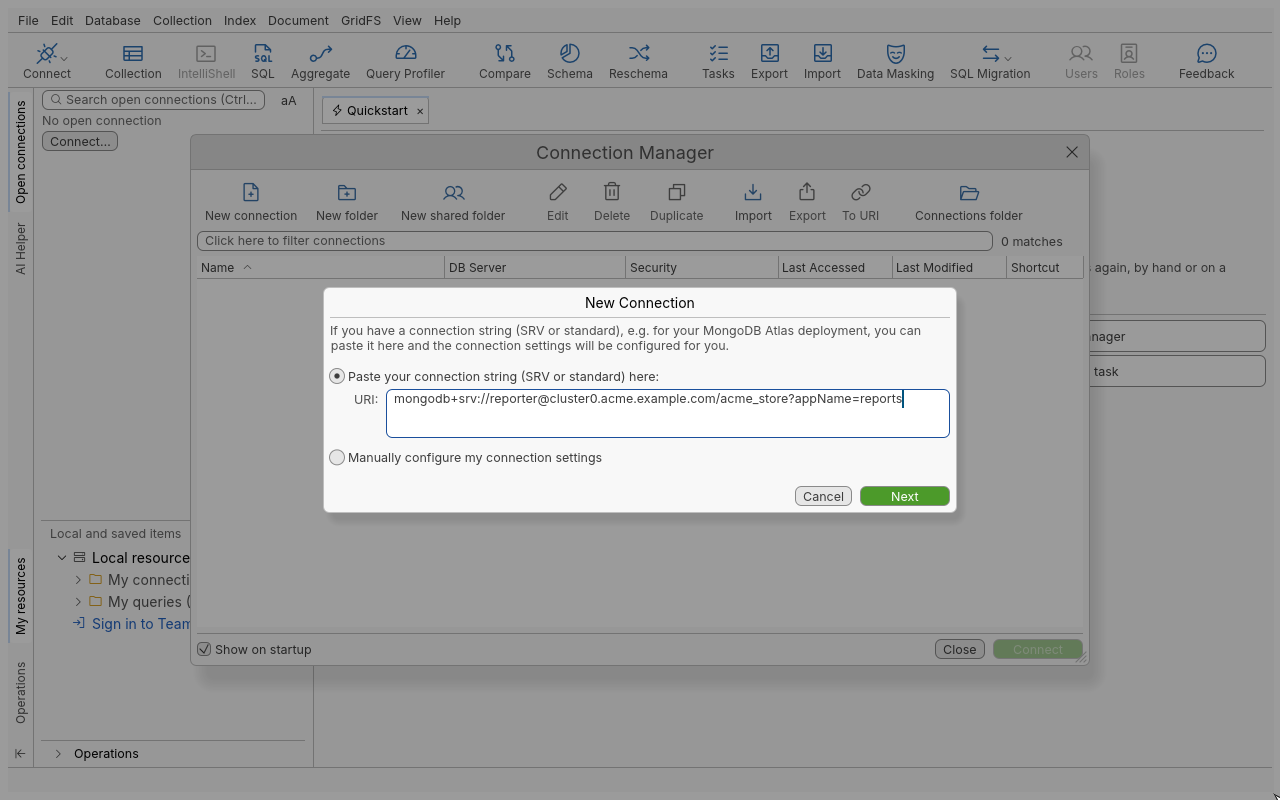
Keep Paste your connection string (SRV or standard) here: selected and paste the string in the URI: field.
-
If the string still holds
<username>or<password>placeholders, fields appear under it: type the real values there, without the angle brackets. -
Click Next. The string is read and the box says “Your connection has been successfully auto-configured.” Settings that could not be applied are listed.
-
The connection dialog opens, filled in. Type a Connection name:, check the tabs, and click Save (or Test Connection first).
A connection string copied to the clipboard is noticed when the application starts or comes back to the foreground: a New connection was detected box offers to import it. Tick Don’t show this message again to turn this off.
Configure a connection by hand
- In the New Connection wizard, choose Manually configure my connection settings and click Next.
- The connection dialog opens with a local standalone server (
localhost, port27017). - Fill in Connection name: and the Server tab, then the other tabs as needed.
- Click Save. Tabs with a problem are marked and Save stays disabled until they are fixed.
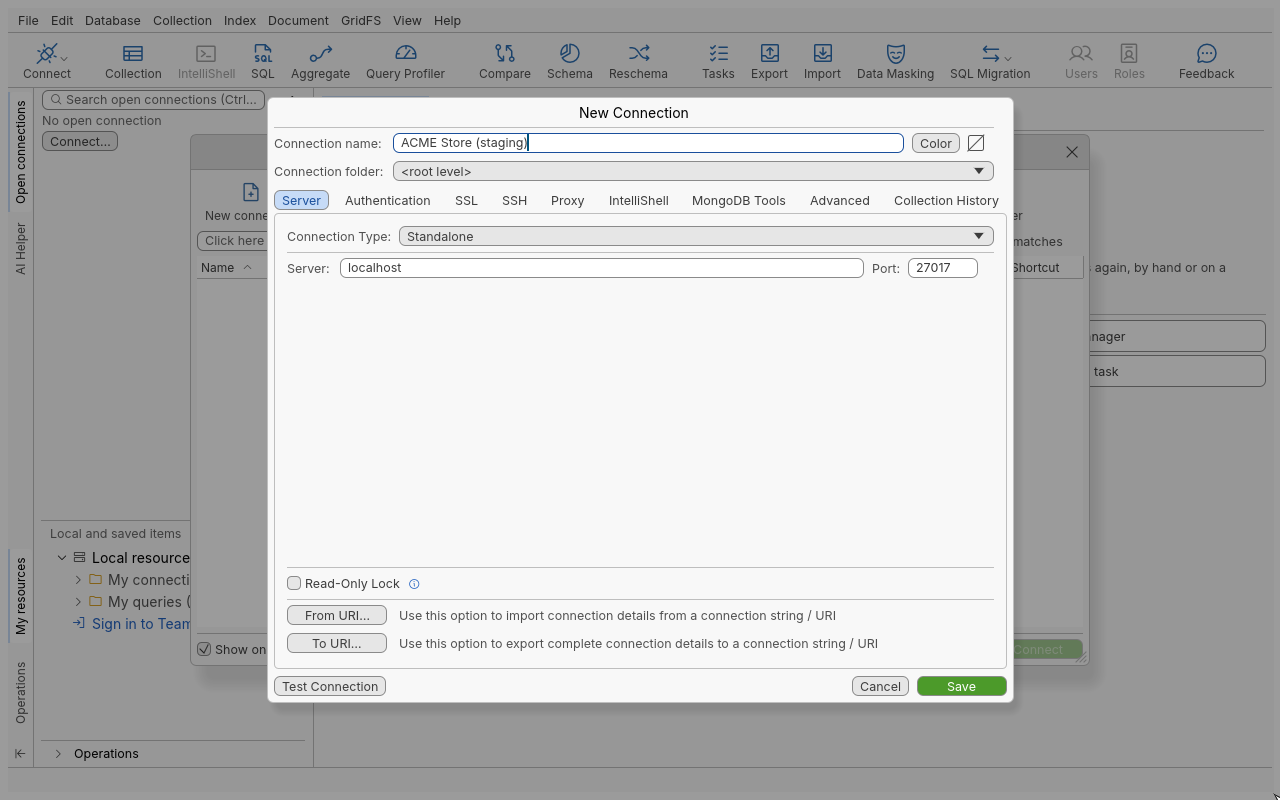
The connection dialog
| Tab | What you set | Page |
|---|---|---|
| Server | Connection Type, servers and ports, Read-Only Lock, From URI / To URI | Deployment types, Read-only |
| Authentication | Authentication Mode and its credentials | Authentication |
| SSL | TLS on/off, server certificate validation, client certificate | TLS/SSL |
| SSH | SSH tunnel and SSH profile | SSH tunnels |
| Proxy | Direct, application default proxy, or a custom HTTP/SOCKS proxy | Proxies |
| MongoDB Tools | The dump and restore programs this connection uses | |
| IntelliShell | Which shell executable to run, and IntelliShell defaults for this connection | IntelliShell |
| Advanced | Read preference, timeouts, pool, write concern, retry writes, load balancing, page size | below |
| Collection History | Whether document changes are recorded for this connection |
Server tab
| Field | Meaning |
|---|---|
| Connection Type: | Standalone, Replica Set, Sharded Cluster, or DNS Seedlist (mongo+srv connections). |
| Server: / Port: | Host name or address and port (1 to 65535) of a standalone server or SRV name. |
| Members: / Hosts: | The replica set members or the mongos routers. |
| Replica Set Name: | The set name (optional for an SRV seedlist). |
| SRV Service Name (optional): | A custom SRV service name instead of mongodb. |
| Read-Only Lock | Refuses every write through this connection (Read-only). |
| From URI… | Replaces the current settings with those of a connection string (you confirm first). |
| To URI… | Shows the complete settings as a connection string. |
Advanced tab
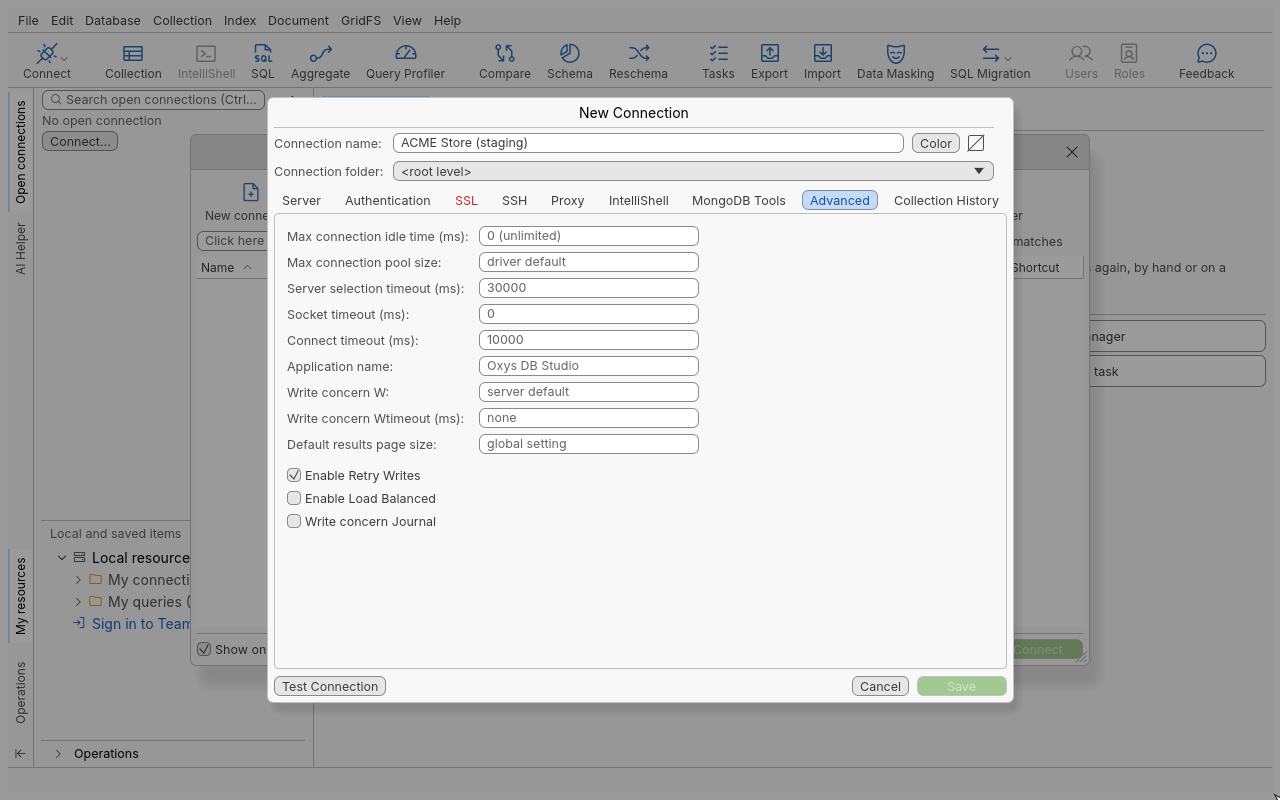
| Field | Default |
|---|---|
| Read Preference: | Primary; also Primary Preferred, Secondary, Secondary Preferred, Nearest. Edit Preference Tags sets tag sets. |
| Max connection idle time (ms): | 0 (unlimited) |
| Max connection pool size: | driver default |
| Server selection timeout (ms): | |
| Socket timeout (ms): | 0 |
| Connect timeout (ms): | 10000 |
| Application name: | Oxys DB Studio |
| Write concern W: / Write concern Wtimeout (ms): | server default / none |
| Default results page size: | the global setting |
| Enable Retry Writes | on |
| Enable Load Balanced | off |
| Write concern Journal | off |
Tips
- Every option you set in the dialog is also written back by To URI…, so you can round-trip a connection through a connection string.
- Leave a password empty to be asked at every connect; nothing is stored.
Troubleshooting
| Message | What to do |
|---|---|
| “The connection string could not be read” | The text does not start with mongodb:// or mongodb+srv://, or is malformed. The error is shown under the field. |
| “Some settings of the connection string were not applied:” | The listed options are not supported; the rest of the connection was configured. |
| “Enter a connection name” | The name is required before Save. |