Reschema a collection
Give a collection a new structure: rename, retype, move, flatten, embed, extract or unwind fields, merge another collection, and write the result to new target collections.
Reschema reads a source collection or view and writes its documents, in a new shape, to one or more target collections. Configuring writes nothing. Execute writes the target collections only. The source, and any collection merged into it, are never written.
Reschema a collection
Example: split acme_store.orders into orders_v2, with the line items in their own collection.
- Right-click
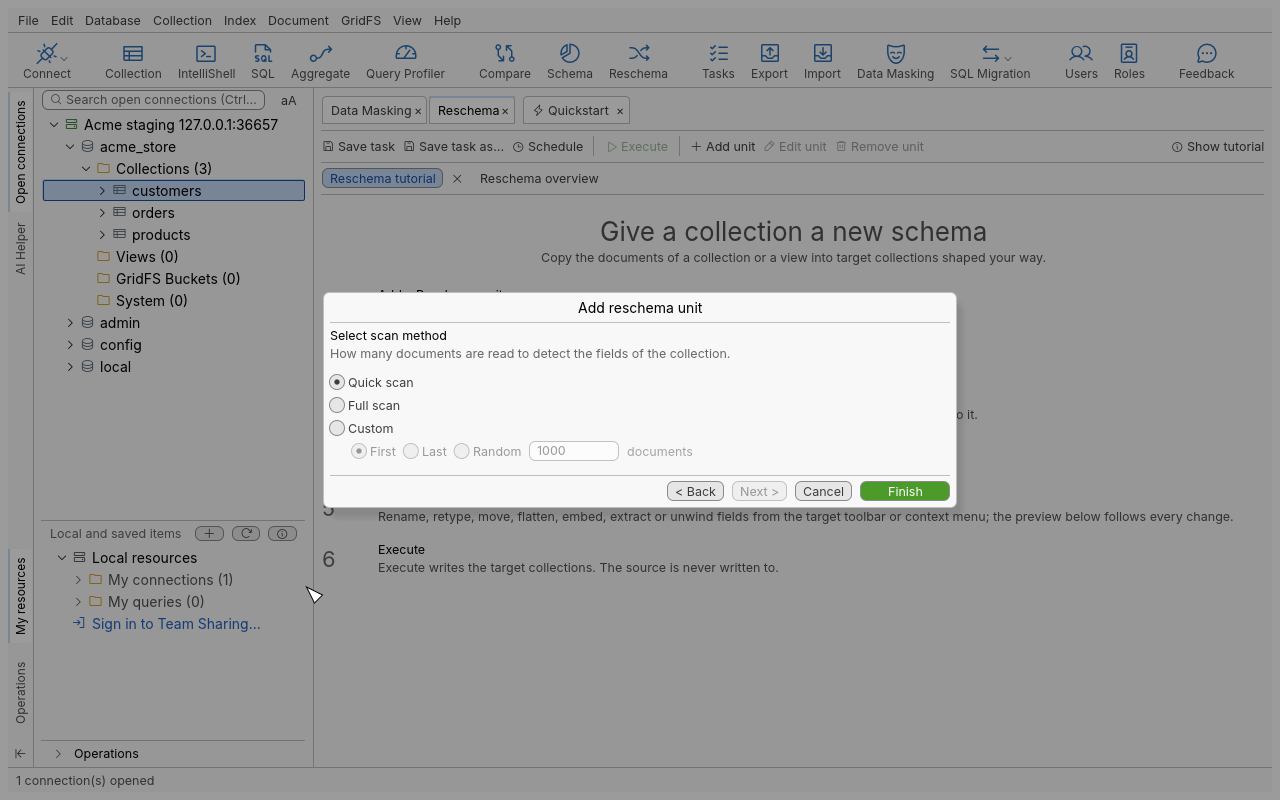
ordersand choose Reschema…. You can also use Collection › Reschema… or Reschema on the global toolbar. - Pick a scan method (table below) to detect the source’s fields. The Reschema tab opens with
one unit for
orders. - Click Add target collection, then choose an existing collection or name a new one
(
orders_v2). Tick the source fields it includes._idis always included. - Shape the target with the field tools: rename
custtocustomer_id, changetotalto Decimal128, and so on. - Select
itemsand choose Unwind selected array/object into a new collectionorder_items. Each element becomes a document, linked back by anitems_foreignKeyfield. - Click Preview to see five source documents and what each target receives.
- Set the Insertion Mode, then click Execute. If an existing target holds documents that would be overwritten, dropped or cleared, you are asked first.
Scan methods
| Method | Reads |
|---|---|
| Quick scan | The first 200 documents. Fast, but rare fields may be missed. |
| Full scan | Every document. Slower on a large collection, but complete. |
| Custom | The number of documents you set (1 to 10,000,000), from the first, the last or at random |
Field tools
| Tool | Effect |
|---|---|
| Add new field | A blank field, or a field taken from the source, optionally with a new type |
| Rename selected field | A new name |
| Change type | A new BSON type, with a Fallback value for values that cannot be converted (not on the target _id) |
| Change source (field) | Takes the value from another source field, or none |
| Delete selected field | Removes it from the target |
| Move selected field up / down / to parent | Reorders, or moves out of an embedded document |
| Embed selected field | Moves fields into an embedded document |
| Flatten selected object/array | Lifts the sub-fields to the parent level |
| Extract selected field to a different collection | Moves the field to another target, linked by <field>_foreignKey in both |
| Unwind selected array/object | One document per element in another collection, linked by <field>_foreignKey |
| Relate selected collection with another | Adds <collection>_foreignKey to link two targets |
Undo and Redo step through your changes, and the Log lists them.
Shape the source
- Change source points the unit at another collection. Merges are removed and targets are kept.
- Merge another collection brings in the documents of a lookup collection in the same database: choose the Local field, the collection to merge, its Foreign field and the target field. Matching documents are embedded.
Insertion modes
| Mode | Effect on an existing target |
|---|---|
| Overwrite documents with same _id | Replaces documents with the same _id |
| Skip documents with existing _id | Leaves them |
| Insert with new _id if _id exists | Inserts them with a new _id |
| Always insert with new _id | Inserts every document with a new _id |
| Drop collection first if it already exists | Drops the target just before its first write |
| Clear collection first if it already exists | Empties the target just before its first write |
| Abort if _id already exists | Stops at the first existing _id; what was written stays |
Several units
A Reschema tab can hold several units, one per source collection or view. Use Add unit and Remove unit in the Reschema overview. Execute runs the selected units, or all of them. Save task keeps the configuration to run again or on a schedule (Automation).
Tips
- Write to new collections, check them, then rename. The source stays untouched, so you can run again at any time.
- After a quick scan, rare fields may be missing. Rescan with Full scan before you execute.
Troubleshooting
| Problem | What to do |
|---|---|
| “No field detected” | The source holds no document, or the scan read too few. Rescan with more documents. |
| Execute is refused before the prompt | A target connection has the read-only lock, or a target is the source or a merged collection. |
| Values became the fallback | They could not be converted to the new type. Check the Type breakdown of the field before you change its type. |